Plan, capture, focus
A Pomodoro planner and notes app designed to reduce friction and protect your flow state. Here's what's inside.
Your schedule, aware of you
Auto-schedule doesn't just fill gaps. It reads difficulty tags and places tasks where they belong. Hard work anchors to your peak hours (never after 2pm). Dreaded tasks go first so you stop avoiding them. Buffers appear between heavy blocks automatically.
Capture everything in context
A full rich-text editor lives alongside your planner. Write naturally and Flows detects tasks in your notes — phrases like "add feature to app" or "need to call Sarah" become actionable items. Highlight any line to turn it into a scheduled task, or paste in an email and Flows splits it into a task with the full text kept as a note. Every task stays backlinked to the note it came from, so context never gets lost. Adjustable text size, folders, headings, checklists, color coding, and Markdown export.
Choose who nudges you
Five notification personalities. Each with a completely different voice. Pip is funny. KHAOS is unhinged. Atlas coaches. Aura is gentle. Blair is sarcastic. They show up in timer reminders, streak protection confirmations, and focus prompts. Pick the voice that keeps you honest.
Seeds, not commitments
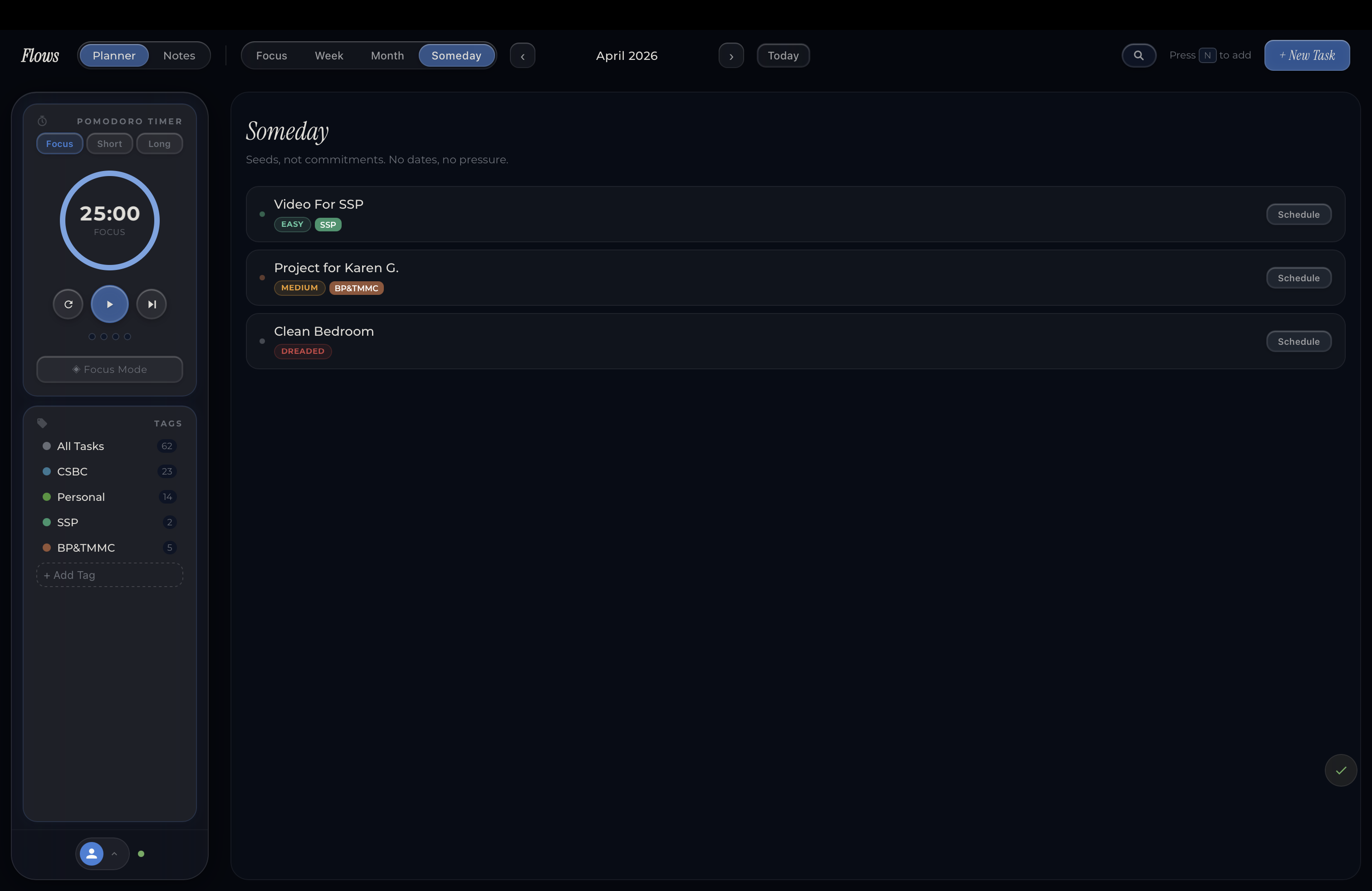
The Someday list is a distinct visual space for ideas that aren't ready yet. No dates, no pressure, no guilt. When something ripens, promote it to your day with a tap. Until then, it just sits there, waiting without weighing on you.
A timer that feels alive
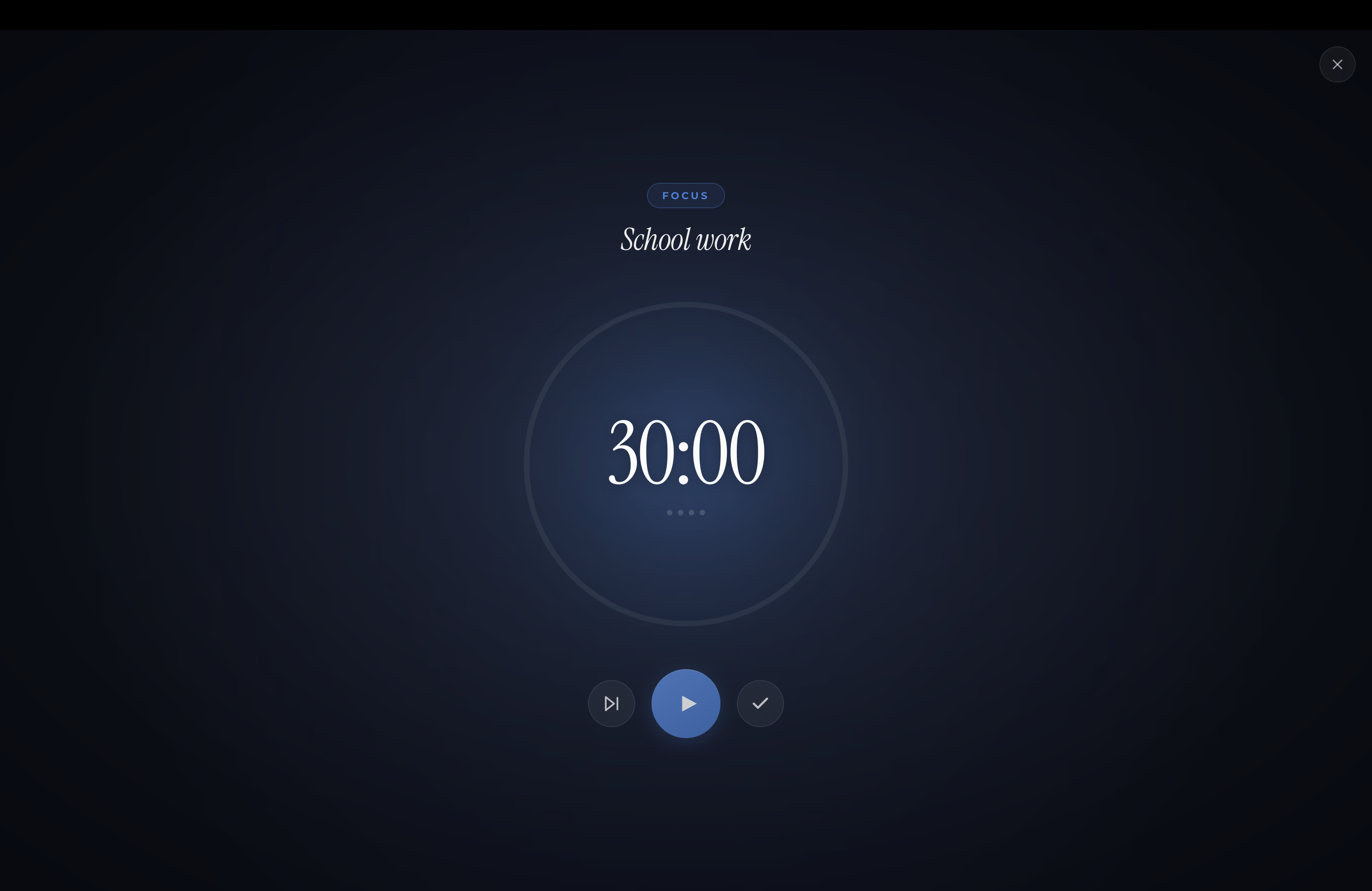
The animated ring fills as you make progress. Choose from four completion sounds — Chime, Bell, Synth, or silence. Haptic feedback on session complete. Auto-start your next work session after breaks. Enter focus mode for a full-screen experience with drifting particles and your current task front and center.
Advanced analytics
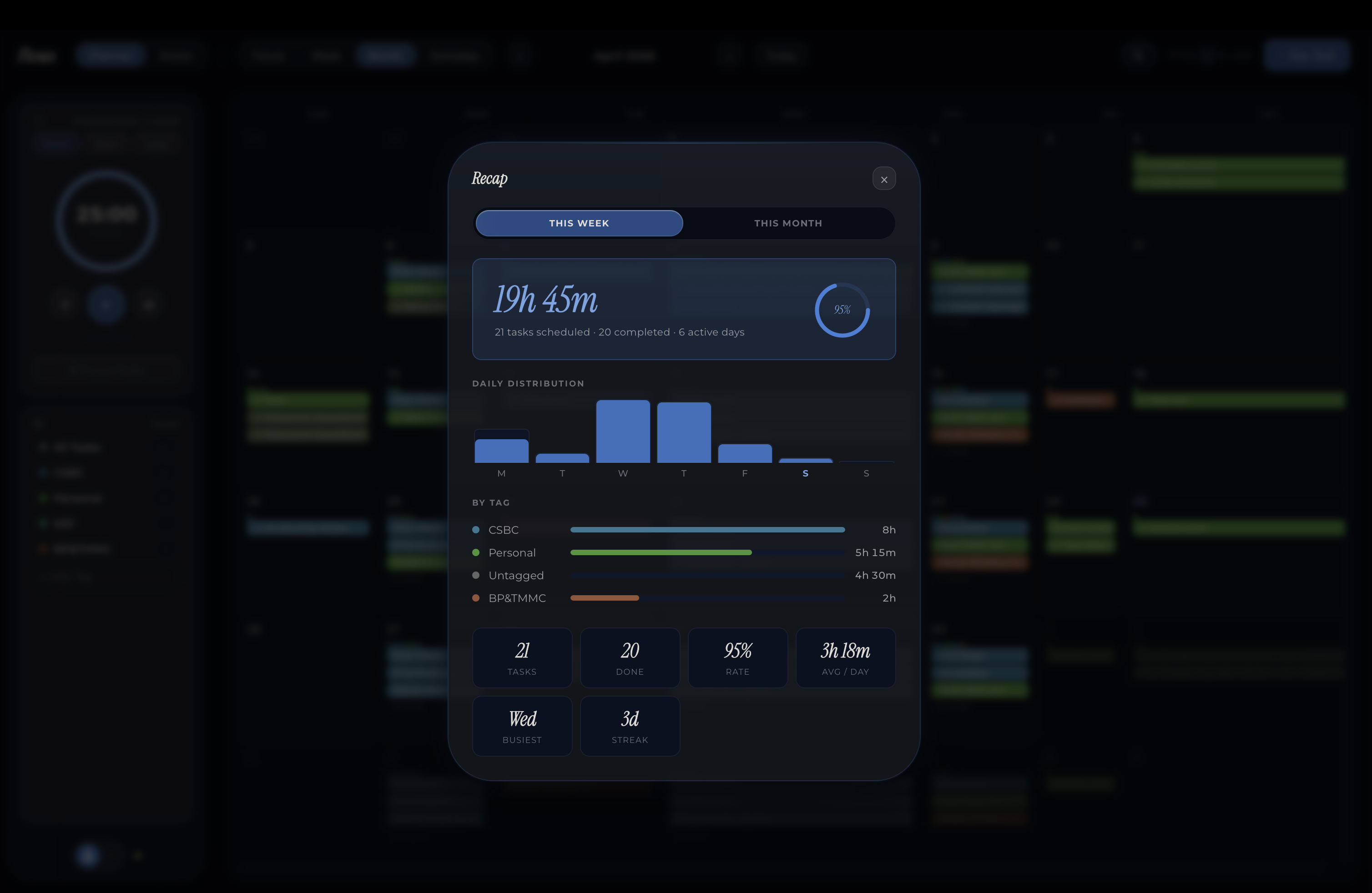
Weekly recaps show where your hours actually went: broken down by tag, by day, and by completion rate. See your busiest day, your average focus time, and how your workload distributes across the week. Data that helps you plan better, not just feel productive.
Four levels that actually do something
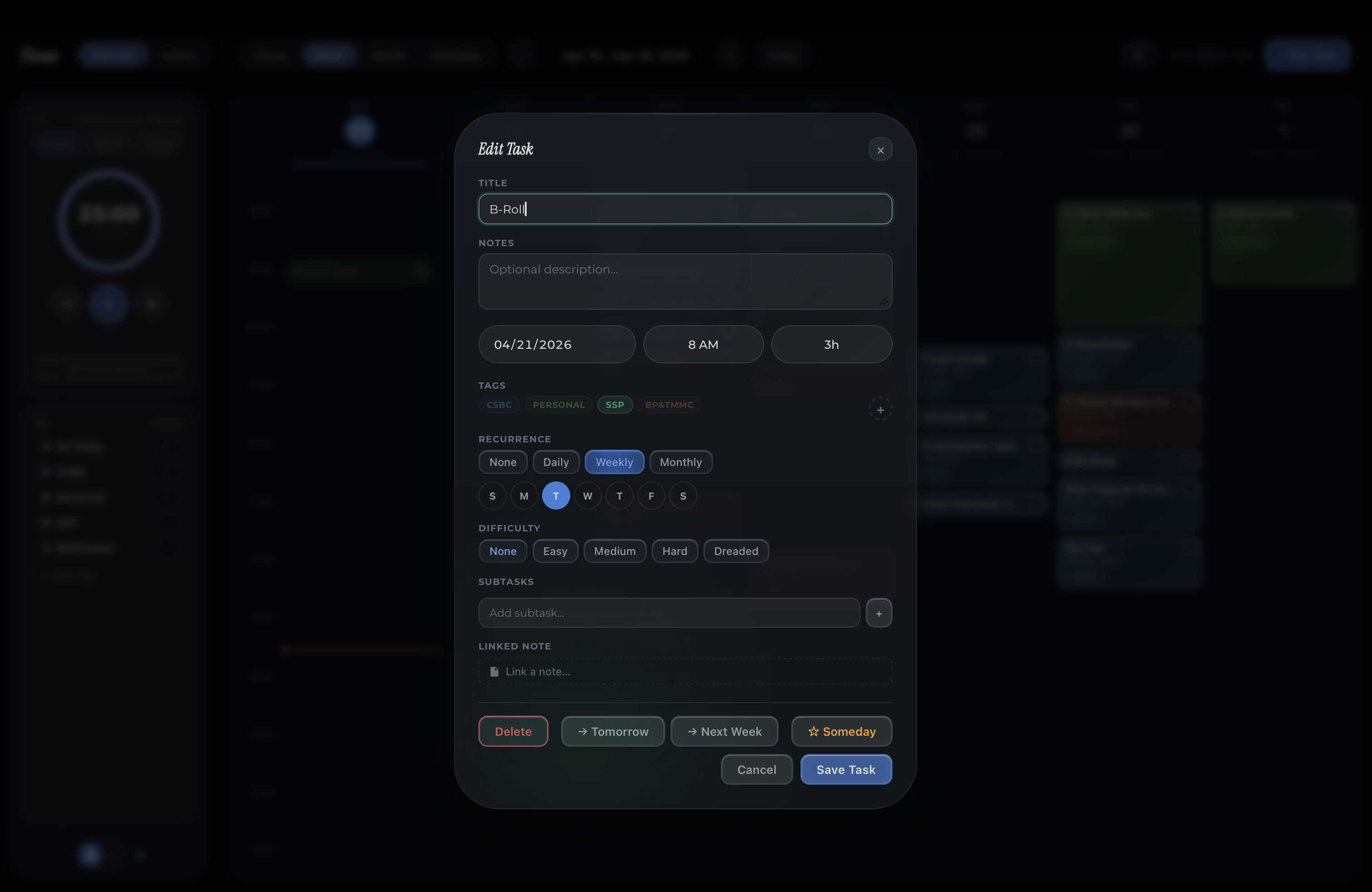
Easy (teal), Medium (amber), Hard (rose), Dreaded (deep red). These aren't decorative labels. Smart auto-tagging suggests both tags and difficulty as you type — learning from your history with stemming, recency weighting, and 300+ keyword heuristics. Your schedule adapts to them. Focus Forecast reads them. They're the engine behind intelligent planning.
Day, week, month, and someday
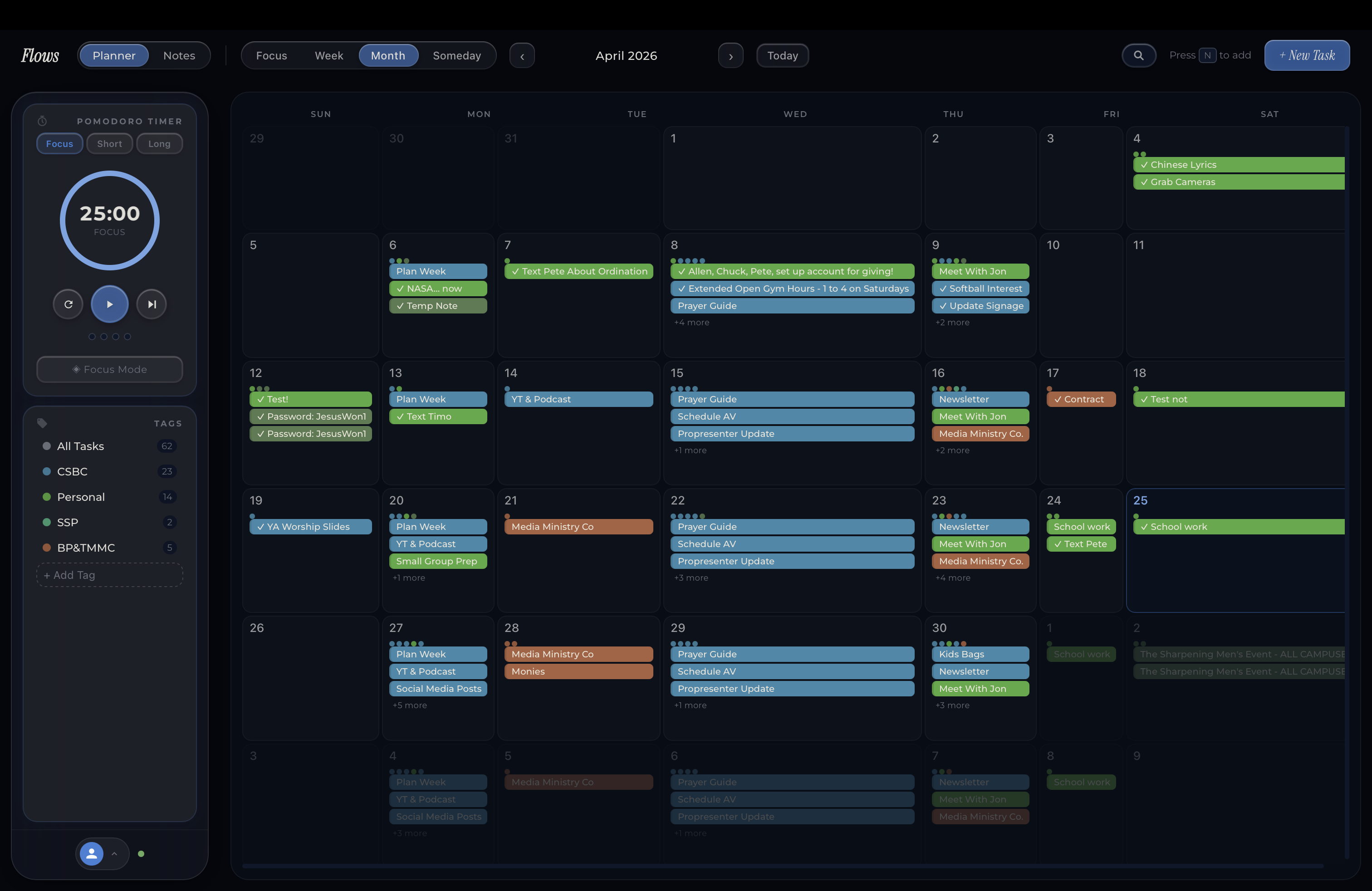
Day view keeps you locked in on what's next. Week view lets you drag tasks between days and balance your workload visually. Choose your week start day (Sunday or Monday) and toggle weekends on or off. Month view gives you the bigger picture. Spot heavy weeks before they arrive, and plan ahead without losing sight of today.
Make it yours
16+ handcrafted color themes, each with its own accent font and mood. Frosted glass surfaces throughout. Clay-style 3D icons. Light and dark modes with automatic switching. Your workspace should feel like you.
Your day, one glance away
Pin Flows to your home screen and stay in the loop without opening the app. Check your completion ring and today's totals, see what's up next, or capture a new task or note in a single tap.
Works with what you already use
Connect your calendars, sync across devices, and bring in tasks from the tools you already use.
Google Calendar
Events appear alongside your tasks
Apple Calendar
Native iOS calendar integration
Cloud Sync
Seamless sync across all your devices
Notion
Import tasks and pages from your workspace
Slack
Turn messages into tasks with one tap
Ready to find your flow?
Download Flows and start your first focus session in under a minute.
Download for Mac